OkNoted
A free, private, handwriting-first notebook for iPad. You build it and own it, and your notes stay on your iPad.
- Platform
- iPad, iPadOS 17 or newer
- Input
- Apple Pencil first
- Cost
- Free, you build it yourself
- Status
- Working, open source
why I built it
I wanted a note-taking app for my iPad that was free, that I could change however I liked, and that was completely private. My notes stay on my iPad, with no account, no subscription and no cloud in between.
So I built my own for my classes. I described what I wanted to an AI coding assistant, tested it on my iPad, and asked for changes until it worked the way I wanted. The whole app is AI-generated.
That’s also why I’m sharing it. If you want something different, fork it and change it.
what it replaces
Paid note-taking apps for iPad, and the subscription and cloud account that come with them.
what it does
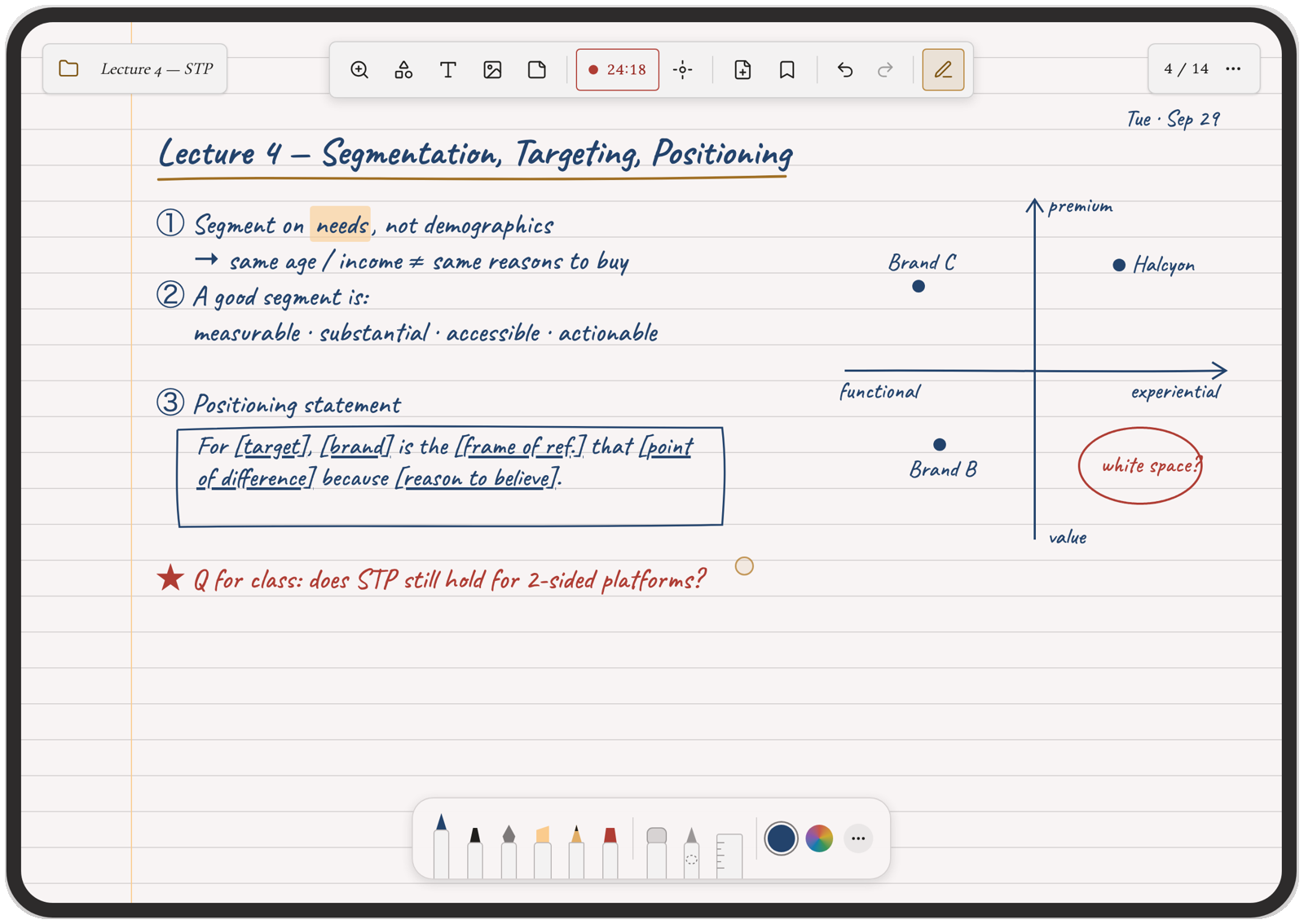
- Handwritten notebooksWrite with Apple Pencil on ruled, grid, dot-grid, Cornell and other paper styles.
- Write on PDFsImport slides, readings or cases and write on them, or in a margin beside the page that you can hide.
- Snap to shapeDraw a line, box, circle or triangle and hold the pencil still for 2 seconds. It becomes a clean shape.
- Zoom windowWrite large in a magnified strip at the bottom and it lands small and neat on the page.
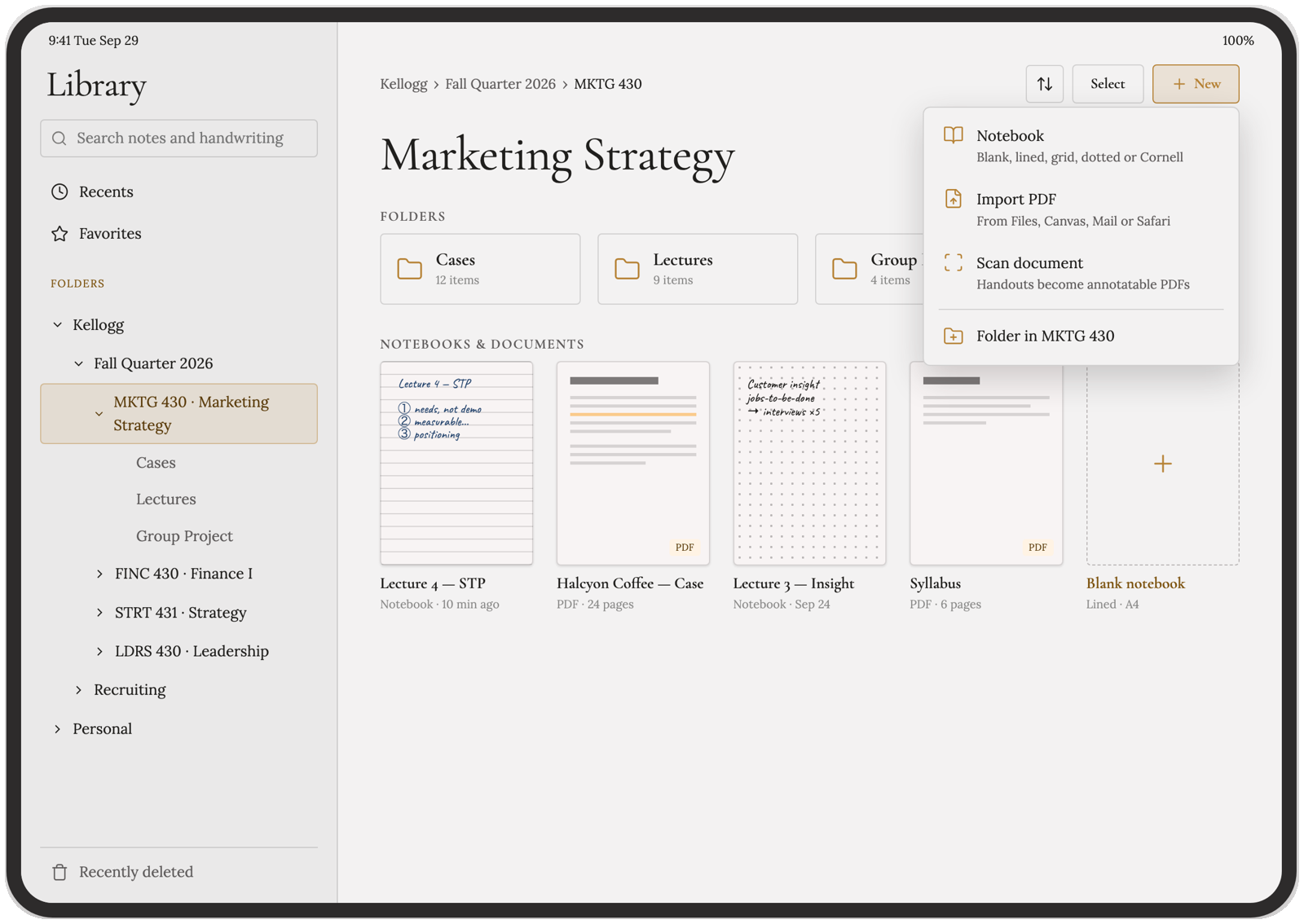
- Folders and recently deletedNest, rename and move folders. Deleted notes wait 30 days before they're gone.
- Private by defaultNo account, no server, no analytics. iCloud sync is optional and goes only to your own iCloud.
screens
how to get it
- Install Xcode from the Mac App Store. It's free, but it's a big download, so start it first.
- Fork the repository on GitHub so you have your own copy, and download it to your Mac.
- Open the project in Xcode, sign in with your Apple ID, pick your Personal Team and give the app a unique bundle identifier.
- Connect your iPad, turn on Developer Mode in its settings, choose it in Xcode and press Run.
- The first time, trust your Apple ID on the iPad under VPN & Device Management, then press Run again.
You need a Mac, an iPad on iPadOS 17 or newer and an Apple ID. It takes about 20 to 30 minutes the first time. With a free Apple ID, apps you install yourself stop opening after 7 days; your notes are safe, and pressing Run again refreshes it. The repository is still called "noting" until the rename is done.
what's next
- Renaming the app from Noting to OkNoted, in the app and the repository.
- iPhone and Mac builds, which the iCloud sync is already designed for.