Simply Invoicing
Create an invoice, send it and get paid. I built it for a relative who kept being asked to upgrade for one more feature.
- Built
- Jun to Aug 2026
- Stack
- Node, React, Postgres (Supabase), Vercel
- License
- MIT
- Status
- Working, open source
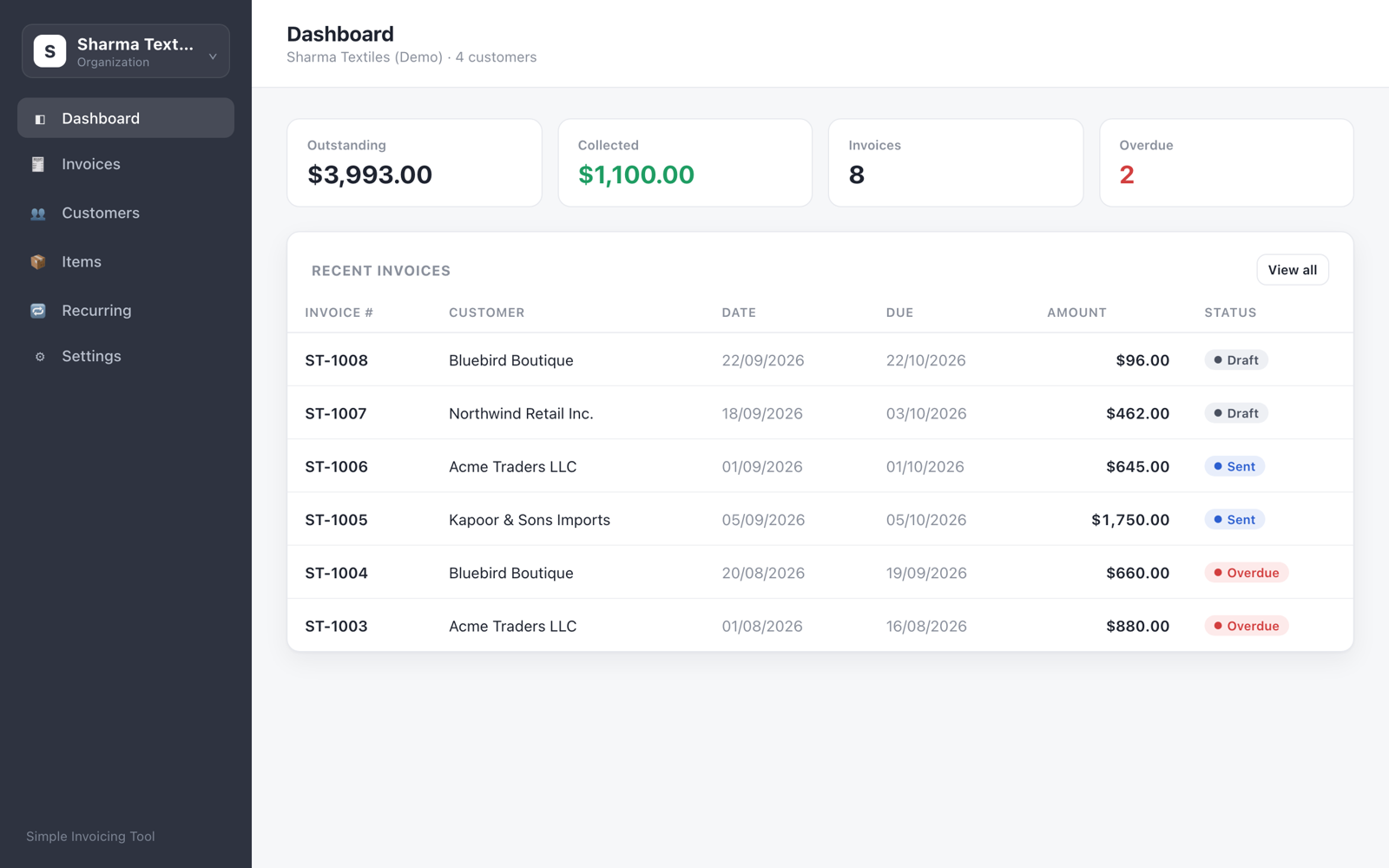
why I built it
A relative runs a small business and invoices overseas customers. Every time they needed one more thing, like recurring bills or a payment reminder, their invoicing software asked them to upgrade.
For a one-person business sending a few dozen invoices a month, that adds up to a monthly bill for features they’ll never use. So instead of finding a cheaper vendor, I built the tool they needed: their invoice layout, their tax fields and their way of getting paid.
Building the features behind a pricing page showed me how small most of them are. Most took about a day each.
what it replaces
Invoicing software that keeps the feature you need one paid tier up.
what it does
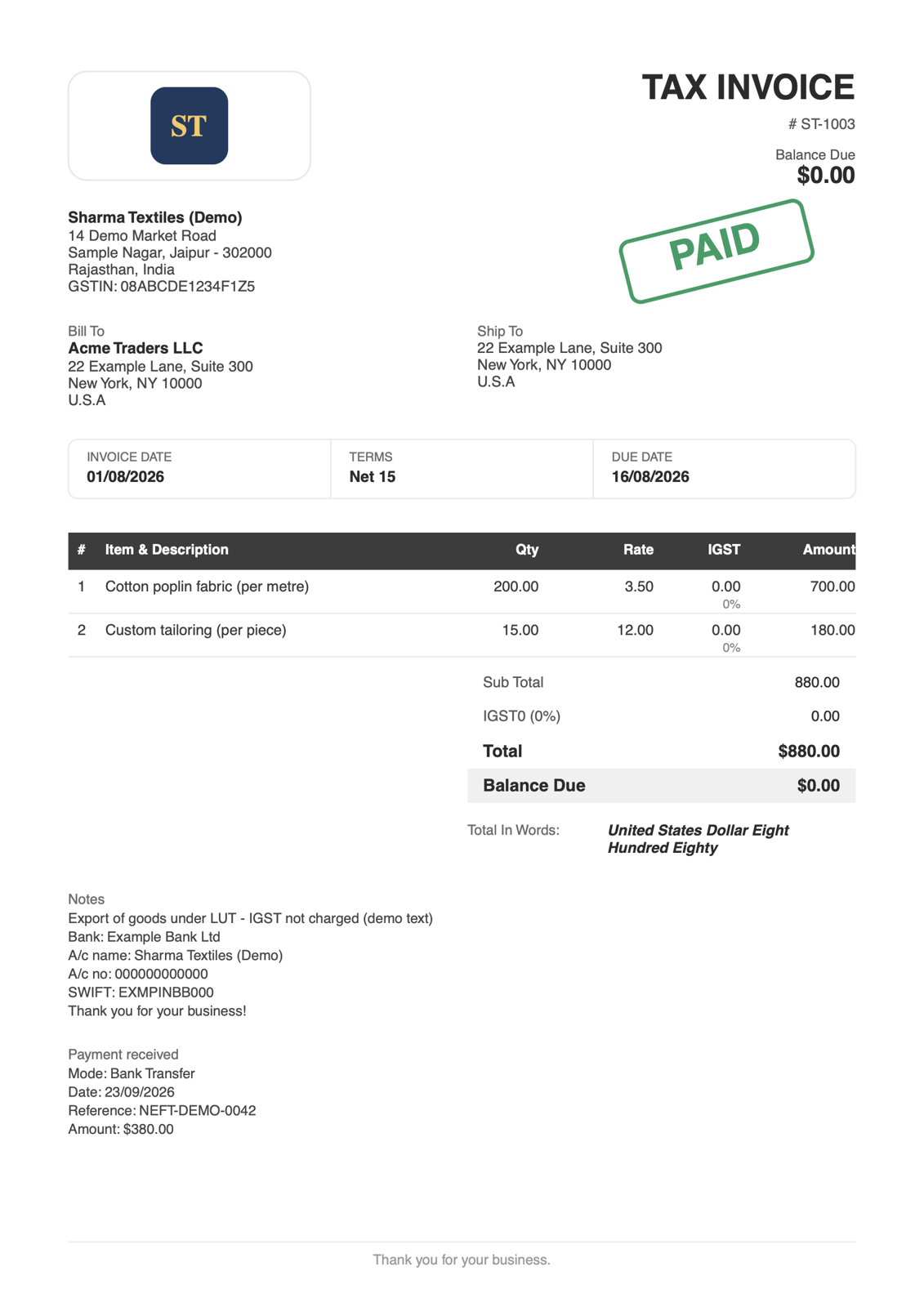
- Tax invoices that matchA PDF layout copied from the one the business already used, generated as real text so it stays crisp and tiny.
- Send from your own GmailInvoices come from your address, not a no-reply. Without Gmail, Download PDF still works.
- Reminders that know the dateScheduled 3 days before, on the day and a week after. They stop the moment the invoice is paid.
- Partial paymentsRecord each payment on its own. Paid in full gets a PAID stamp on screen and on the PDF.
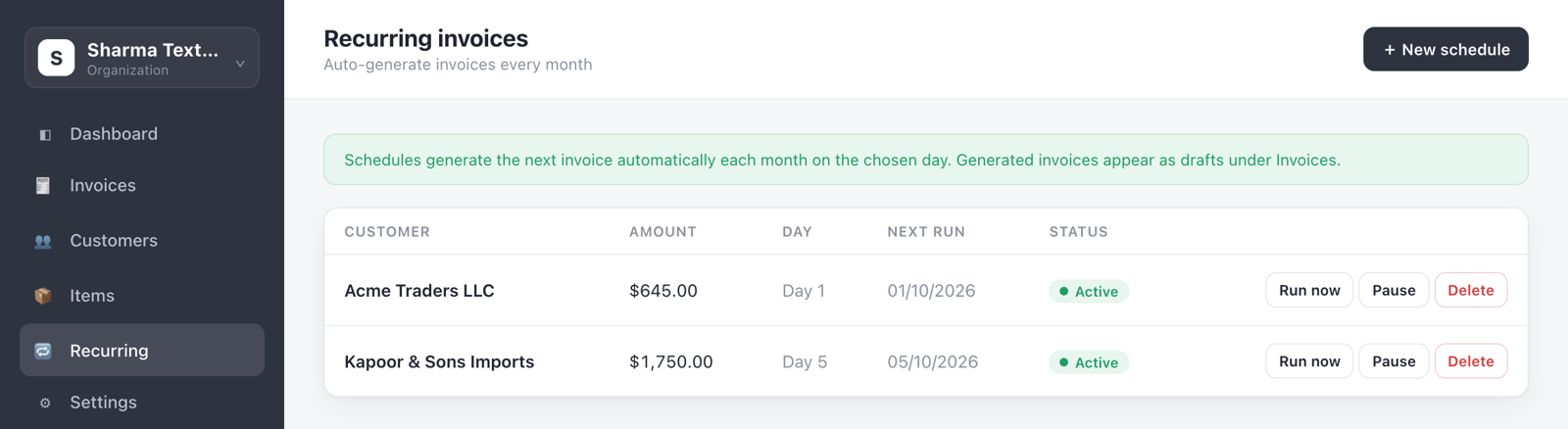
- Monthly recurring invoicesA schedule creates the invoice on the day. If the server was off, it catches up on the runs it missed.
- Several businesses, one loginEach has its own numbering, logo, currency, tax label and terms, plus an Excel export for the accountant.
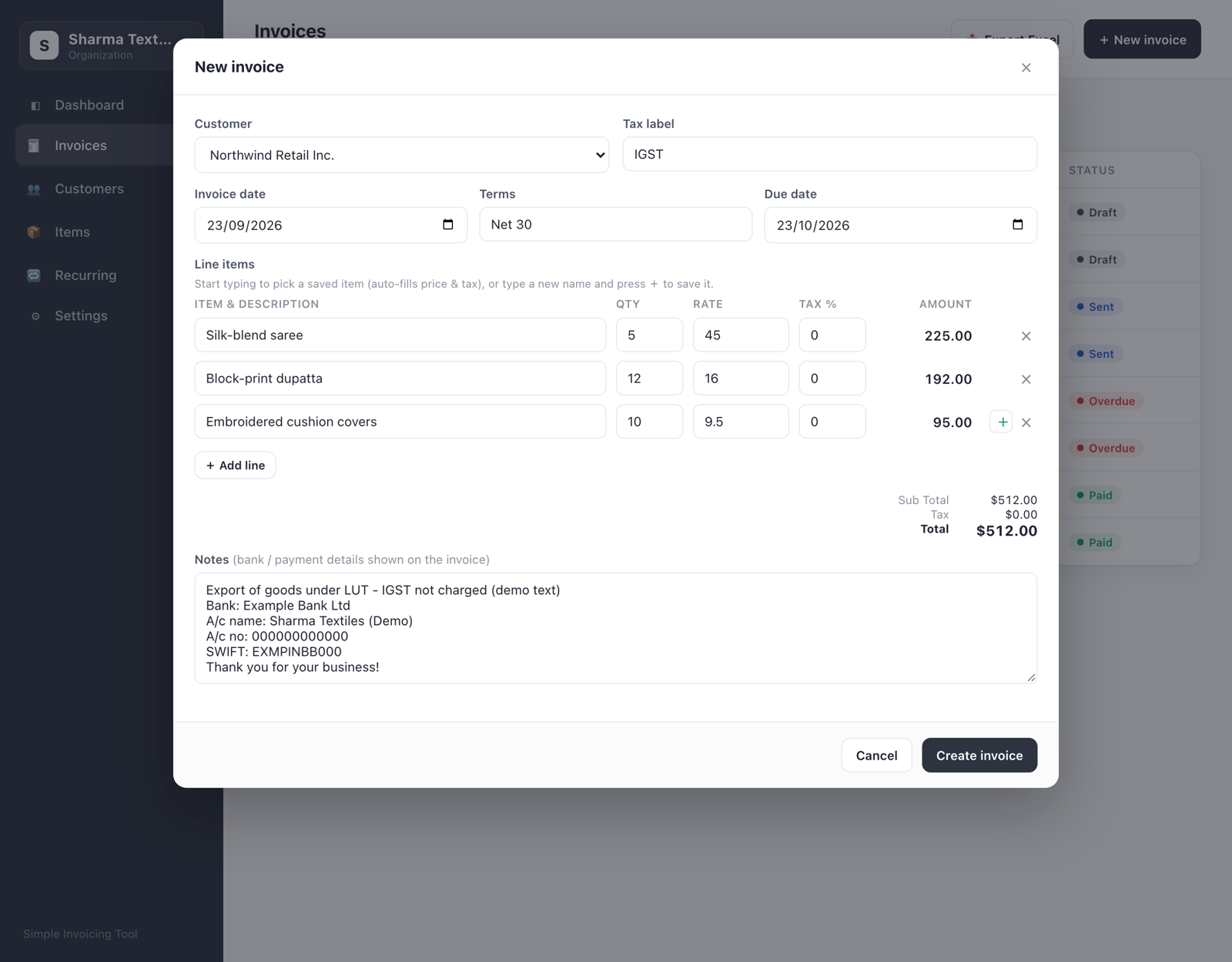
screens
how to get it
- Clone the repository. You need Node.js 18 or newer.
- Create a Supabase project for the database and file storage, then copy .env.example to .env and add your Supabase keys.
- Run npm install and npm start, open localhost:4000 and follow the onboarding. Deploy to Vercel when you want it online.
- Optionally connect Gmail so invoices and reminders send from your own address.
It's built for tens of invoices a month, by one owner, and isn't meant for bulk billing or teams. The README's quick start still describes the first version, which stored everything in one local file, and needs updating.
what's next
- A private page for each customer to see what's outstanding, overdue and paid, and download any invoice. It's in private beta now.
- Timezone-safe dates, tested across six timezones.
- Custom fields and a managed list of tax rates.