QuickPad
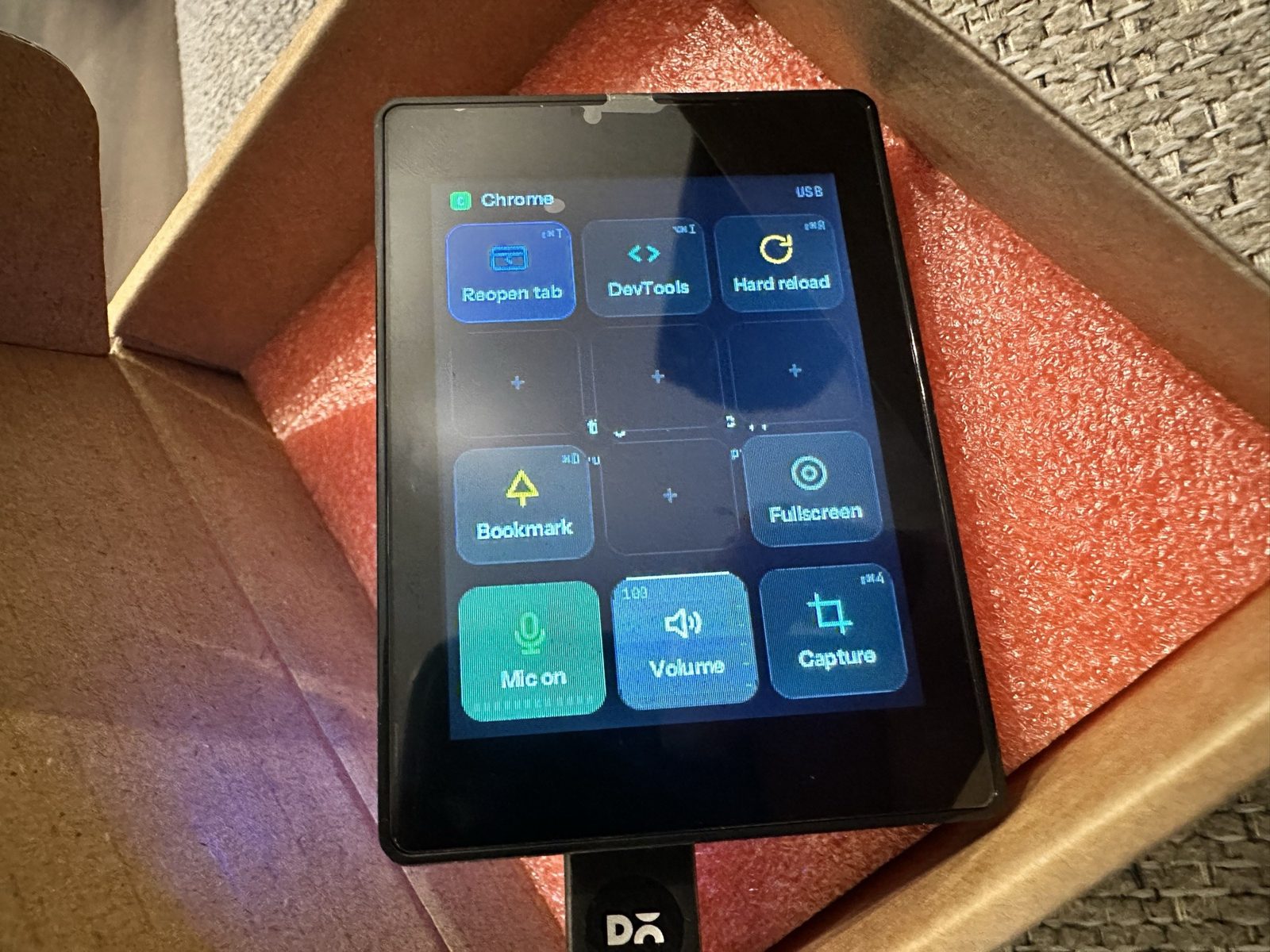
A $19 touchscreen next to my Mac that shows the right buttons for whatever app I'm in. It went from an unopened box to a working device in one afternoon.
- Built
- 16 to 22 Sep 2026
- Hardware
- ESP32-S3, 2.8-inch touchscreen
- Works with
- macOS
- Status
- On my desk, in daily use
why I built it
I switch between Figma, VS Code, Chrome, Claude, Slack and a stream of video calls all day. Every app has shortcuts, and I remember about four.
Logitech makes a keypad for this, the MX Creative Keypad, with buttons whose labels change per app. It’s a good idea. I wanted to know whether I could build my own version, make it do more than a keyboard can, and learn hardware in the process.
I had never flashed a microcontroller. That was part of the point: this was my first physical product, and a test of how far an AI coding partner could take someone from software into hardware.
what it replaces
Logitech's MX Creative Keypad: a context-aware pad for $19 instead of about $200.
what it does
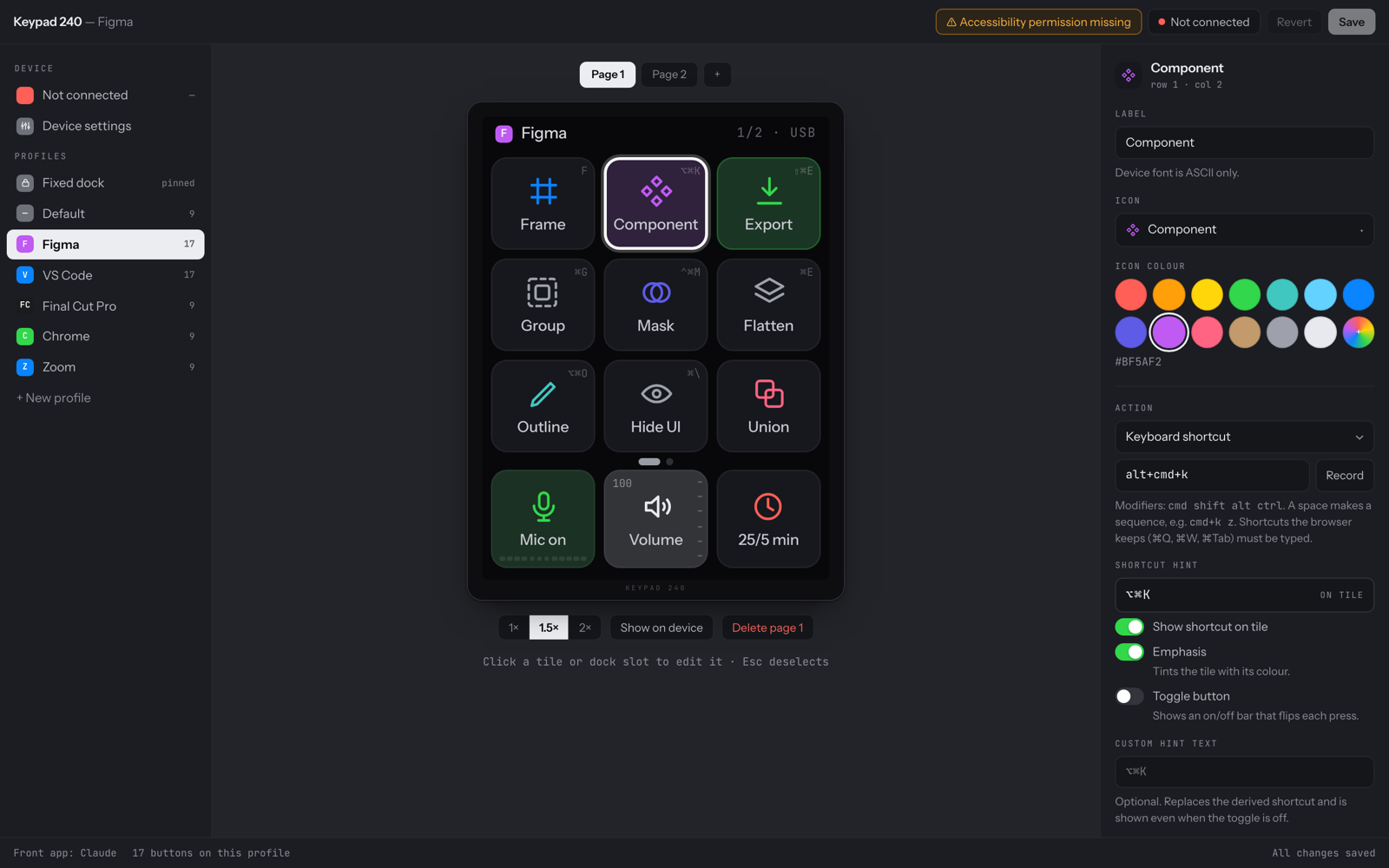
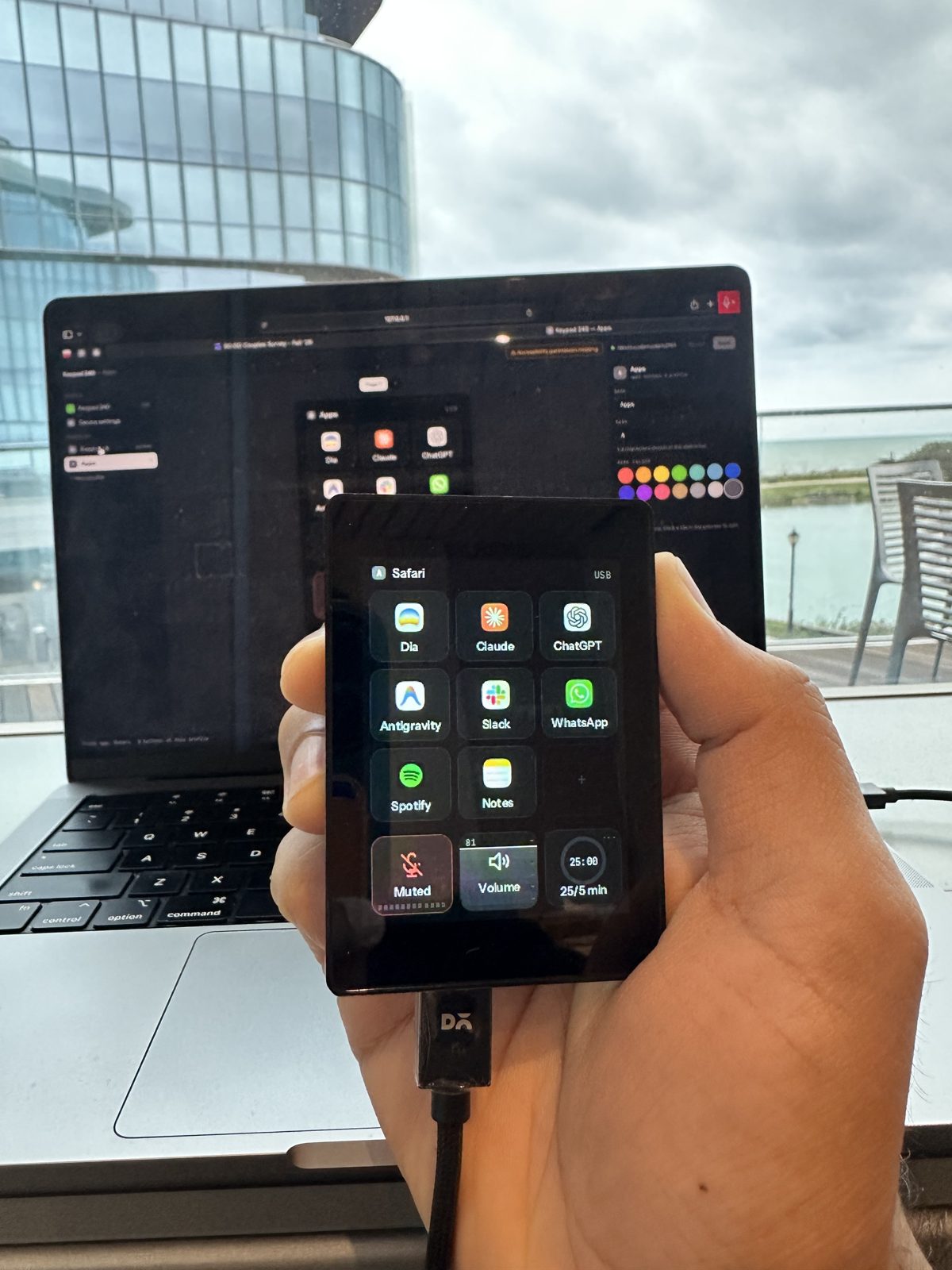
- Follows the app in frontThe Mac app checks the frontmost app four times a second and swaps in that app's layout.
- Mic and volumeTap to mute, hold to talk. Volume is a drag.
- Nine kinds of actionKeyboard shortcut, type text, open an app or URL, shell command, AppleScript, media key, multi-step macro and more.
- Real app iconsThe Mac app sends each app's real icon to the keypad, which keeps up to 16 cached.
- No reflashing to change buttonsSave in the editor and the keypad updates immediately.
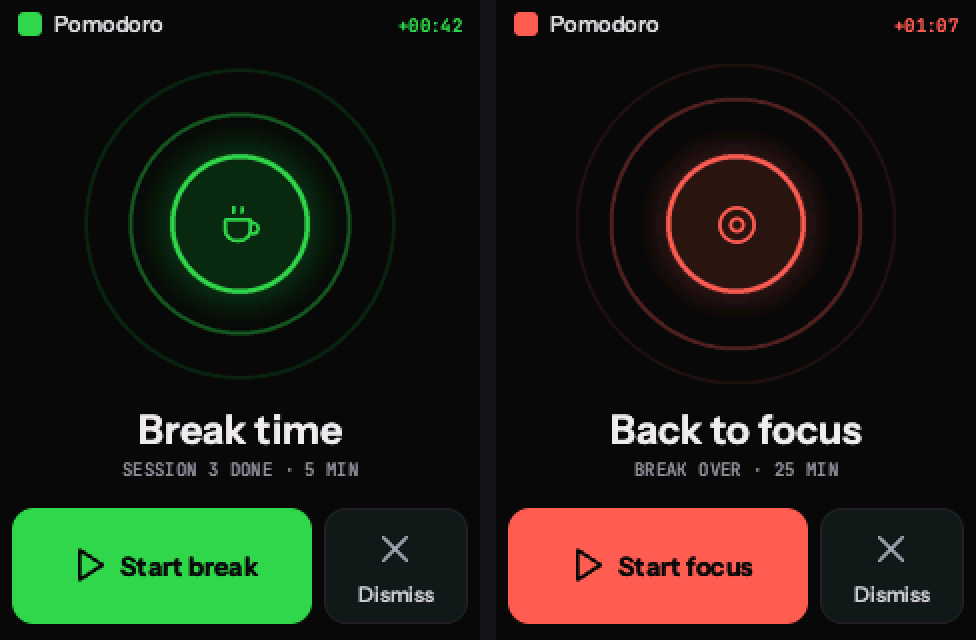
- Focus timerA Pomodoro timer on the device, so I don't have to find one in a menu.
screens
can I use it?
Not yet. There's no case, no packaging, and setup needs a terminal. I want to be sure it's useful to me before making it easy for anyone else to set up.
what's next
- Turning on Accessibility so shortcut layouts work, not just launchers.
- A 3D-printed stand at about 30 degrees.
- Working as a plain USB keyboard when the Mac app isn't running.
- A rotary knob on the spare pins.